WaveNotch for Mac.Your notch, reimagined.
A deeply integrated menu bar utility that brings music, live lyrics, media controls, playlists, and tiny productivity tools into the top of your MacBook screen.
Free forever on Apple Silicon and Intel.
Interactive Demo
Hover the notch on a MacBook screen.
See it work in action. Try hovering over the notch and enabling the plugins.
Hint: the demo macbook is only visible on wider screens.



Universal Media Engine
Detects and controls media from Spotify, Apple Music, Chrome, Brave, Microsoft Edge, and Safari.
Live Synced Lyrics
Fetches LRC data, syncs lines to playback, and keeps lyrics readable inside the expanded notch.
Smart Drop-down Banners
Shows elegant status banners when a new song starts or a media action needs quick feedback.
Dominant Color Waveforms
Extracts album artwork color so waveforms, progress, and highlights feel connected to the track.
Expanded Anatomy
What opens inside the notch
The expanded state is built around three high-frequency actions: control the song, read the line, and peek at what is next.
Media control
Album art, browser-aware playback, skip controls, repeat, and a seek bar stay reachable without opening a player.
Live lyrics
Time-synced lyrics scroll through the notch with the active line lifted above dimmed context lines.
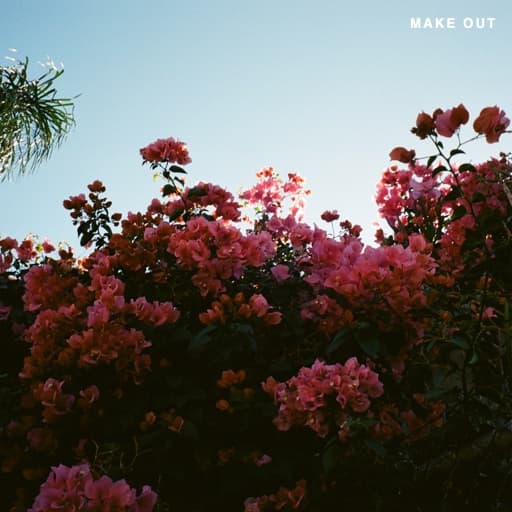
ILYSB
LANY
take me where the music is softer
there is no way to stop it
i mean it's only good today
Spotify Queue
4 upcoming
About You
The 1975
Paris in the Rain
Lauv
seasons
wave to earth

Viva La Vida
Coldplay
Playlist control
A compact queue view keeps upcoming tracks close, especially for YouTube Music and web players.
Also inside
Smart banners, dominant-color visual accents, hover delays, and dashboard layout controls keep the interface flexible.
Plugin Views
Customizable with custom plugins.
WaveNotch plugins are small, installable utilities. They have the same compact design as the core media features and are a breeze to set up.
Plugin
Clipboard
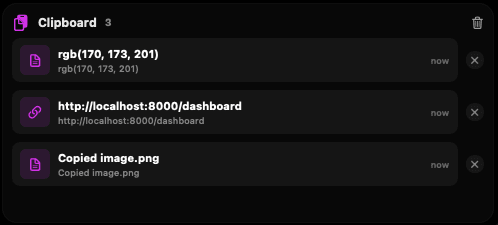
Recent copies live in a compact timeline with enough context to grab the right item quickly.
Plugin
Calendar
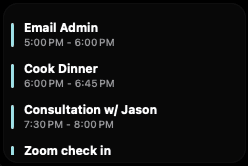
Upcoming events stay glanceable without opening a full calendar window.
Plugin
Pomodoro
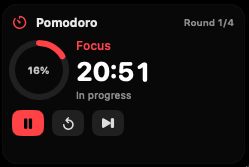
Focus sessions use the notch as a tiny timer instead of another floating panel.
Plugin
Kaomoji
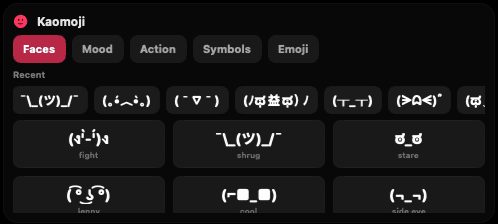
Lightweight text tools can open where your cursor already expects quick actions.
Plugin
Tape
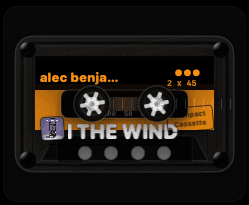
Small utility surfaces can feel playful while staying contained in the notch.
Plugin
Plugin registry
12+ more
A full in-app registry holds the rest of the collection, ready to browse, enable, and pin.
MacBook Fit
Made for the screen you already have
WaveNotch is shaped for modern MacBook notches, but it is still a menu bar utility at heart: adjustable, hideable, and comfortable on Apple Silicon and Intel Macs.
Compatibility without ceremony
The app works as a signed and notarized macOS utility, with Launch at Login, Sparkle update checks, guided onboarding, and settings for browser integrations.
How it works
WaveNotch uses the right integration for each surface, then keeps the visible UI small enough to stay out of the way.
Ready to upgrade your Mac?
Download the DMG, drag WaveNotch into Applications, then open Settings from the menu bar waveform icon to choose which browsers and plugins to link.
Download the .dmg file.
Drag WaveNotch into Applications.
Enable the integrations you want.